
 |
ClassDojo ★ 4.8 |
|---|---|
| ⚙️Developer | ClassDojo |
| ⬇️Downloads | 10,000,000+ |
| 📊Category | Education |
| 🤖Tags | classdojo | classroom | classwork |
ClassDojo is a communication and classroom management app designed to connect teachers, students, and families. It helps educators share updates, track student progress, and build a positive classroom culture through simple tools and real-time messaging.
ClassDojo app also lets teachers post announcements, share photos or videos, and encourage students with feedback points, making the classroom more engaging and transparent for parents.
Features & Benefits
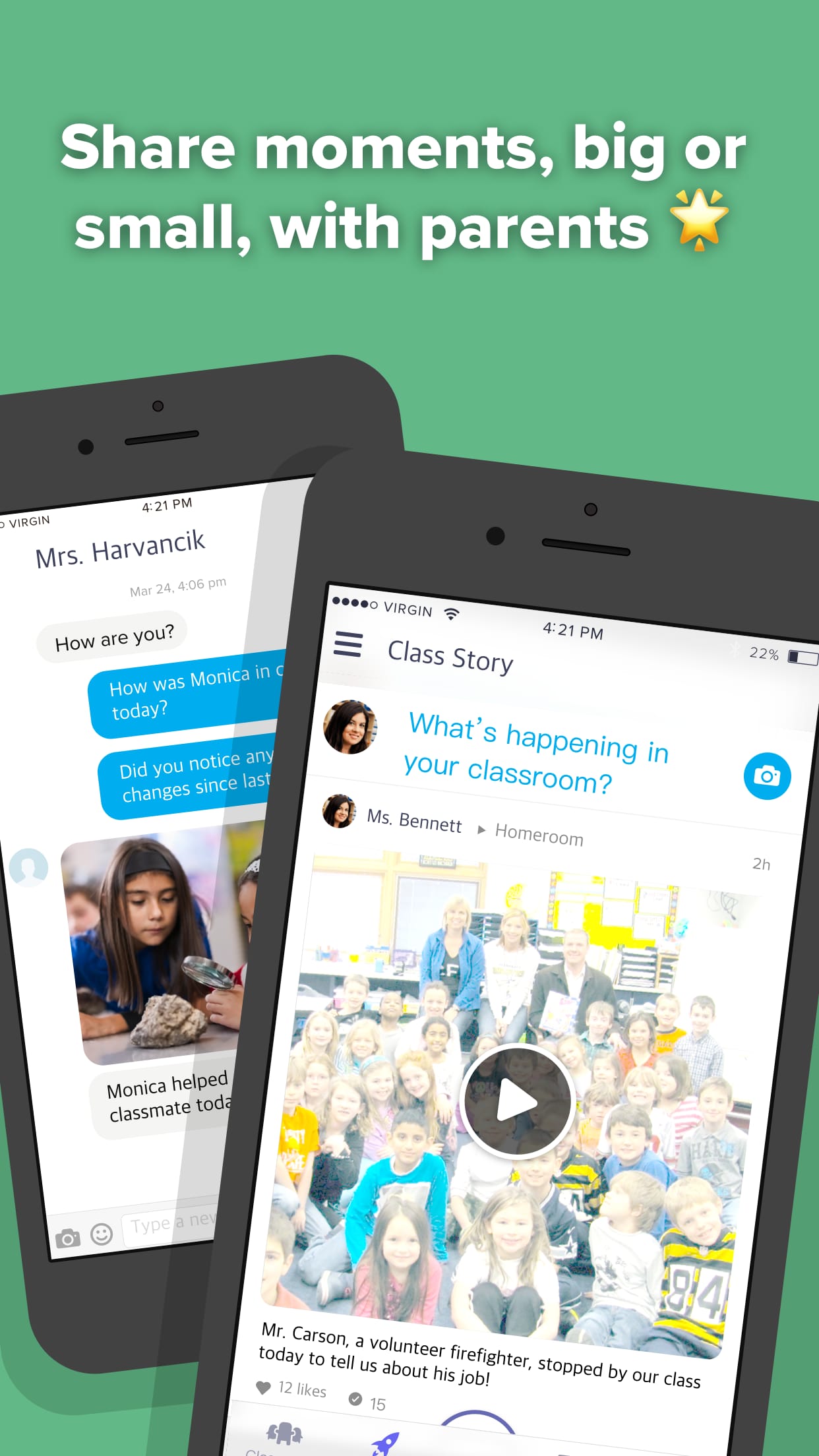
Teacher–Parent Communication
Send instant messages to parents, share announcements, and post classroom updates. Parents can receive notifications in their preferred language through built-in translation.
Student Behavior Tracking
Teachers can award positive points for participation, teamwork, effort, or any custom behavior. This promotes a supportive and encouraging learning environment.
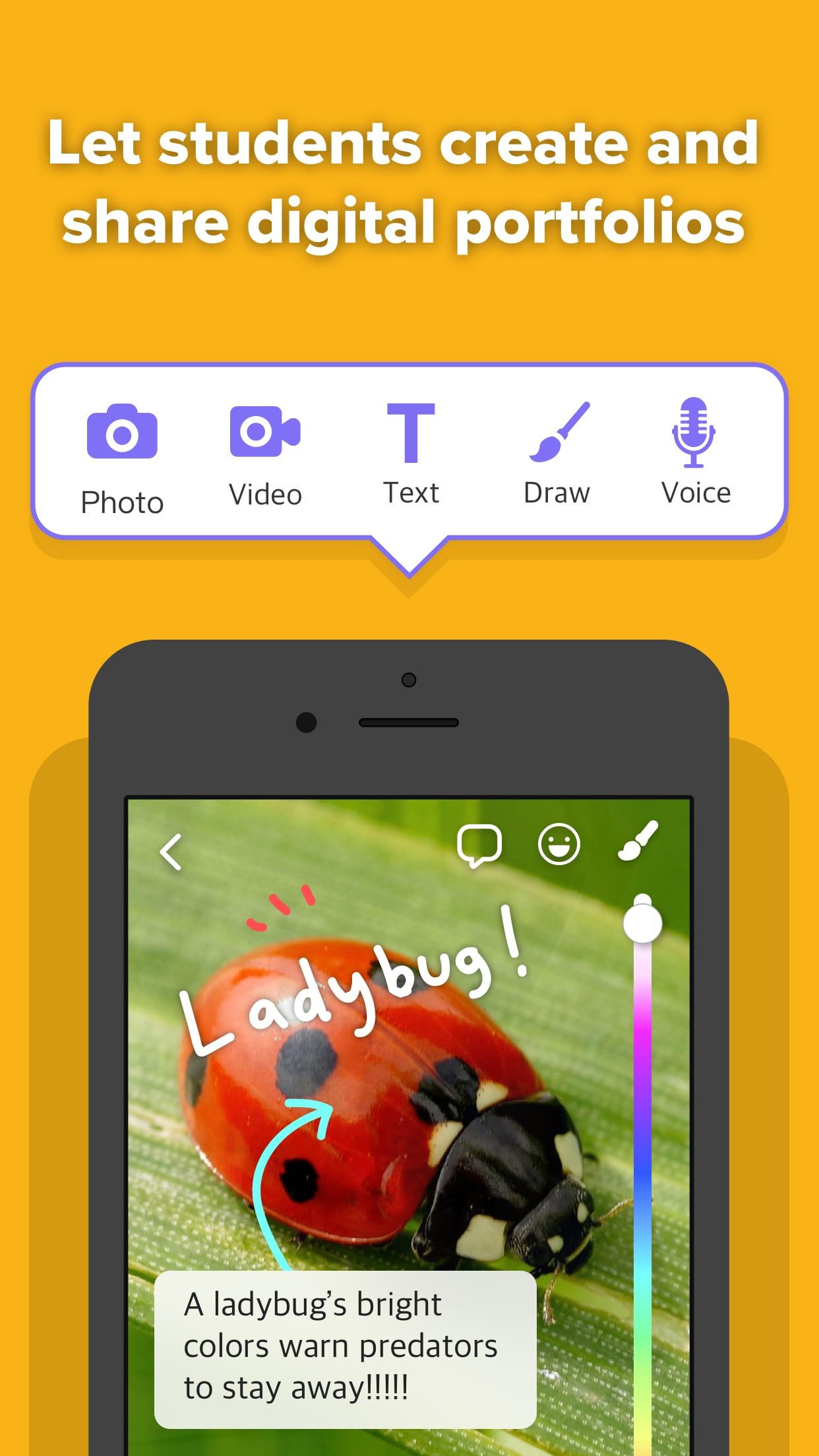
Classroom Stories & Portfolios
Upload photos, videos, and student work to Class Stories or individual Student Portfolios. Parents get a real-time view of their child’s progress and classroom activities.
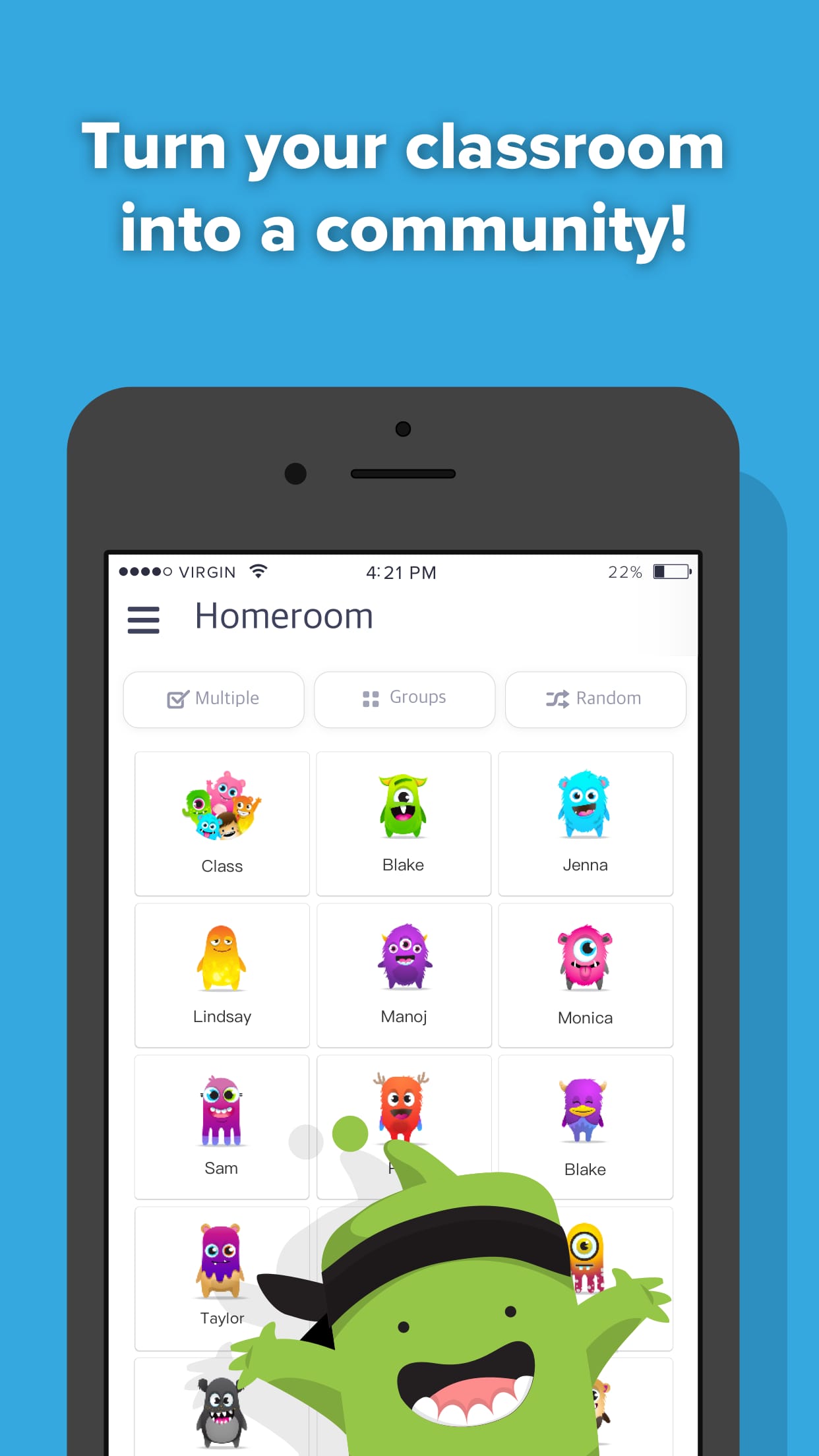
Student Avatars (Monsters)
Each student gets a customizable avatar that makes participation fun. Teachers can allow kids to design their own characters as a motivational element.
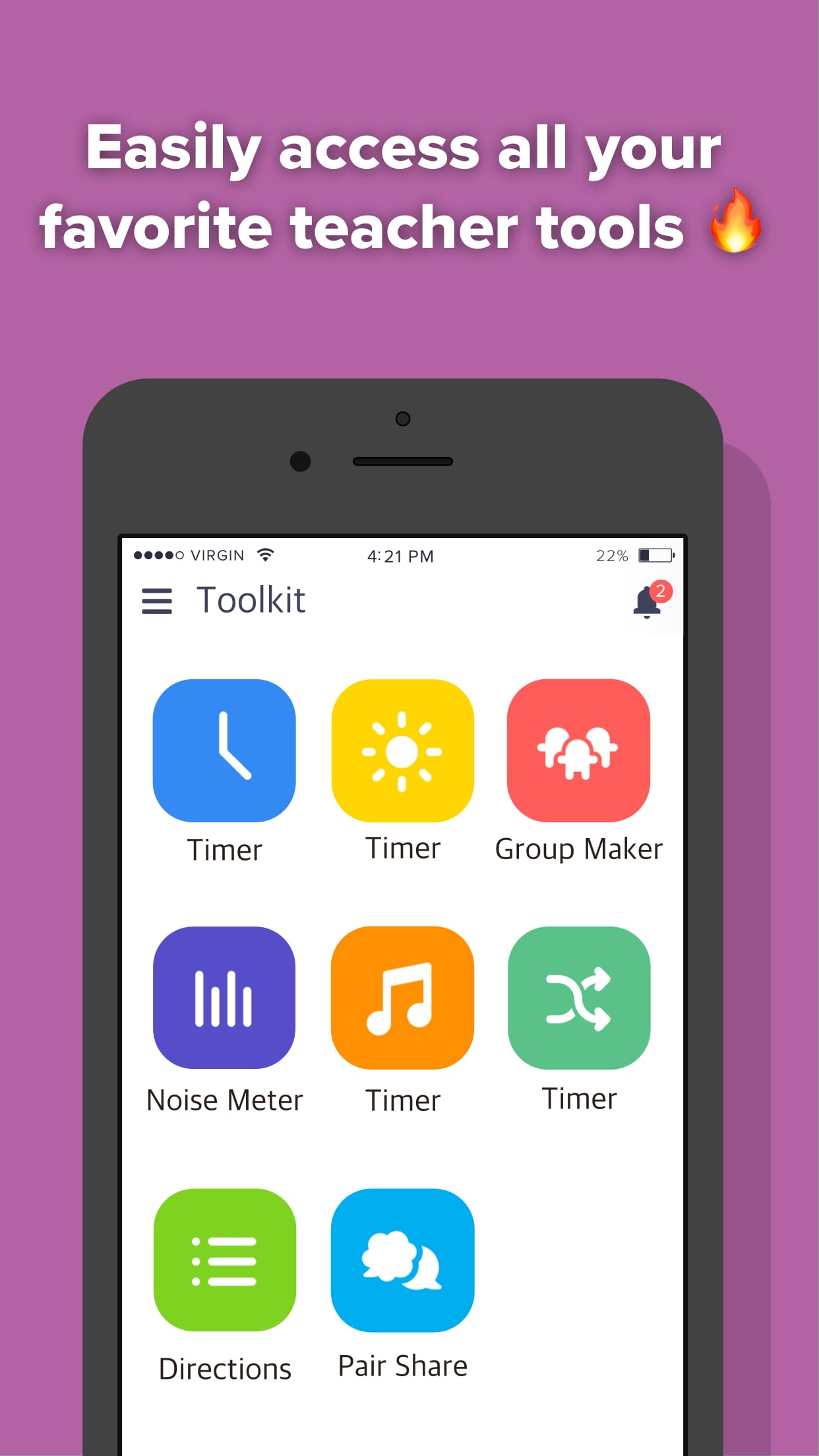
Digital Classroom Tools
Includes timers, group makers, noise meters, and other classroom utilities that help teachers manage daily activities more smoothly.
Safe & Private Sharing
Teachers control what is shared, and student information stays private within the class community. No phone numbers are exchanged.
Alternative Apps
- Seesaw: Seesaw is an app that focuses on student engagement and parent communication. It allows students to document their learning through photos, videos, and drawings and share them with their parents.
- Remind: Remind is a communication platform that enables teachers, students, and parents to connect through text messaging. It allows teachers to send reminders, assignments, and announcements to students and parents, fostering better communication and engagement.
- Google Classroom: Google Classroom is a widely used platform that streamlines the process of creating, distributing, and grading assignments. It allows teachers to create virtual classrooms, share resources, and provide feedback to students. Google Classroom also integrates seamlessly with other Google tools, such as Google Drive and Google Docs.
These apps, like ClassDojo, aim to enhance communication, engagement, and collaboration within the educational ecosystem. Each app offers its unique features and benefits, catering to different needs and preferences of teachers, students, and parents.
Pros & Cons
Pros
- Strengthens communication between teachers and parents with real-time updates.
- Positive reinforcement system helps motivate students through points and feedback.
- Easy sharing of classroom activities, giving parents more visibility into their child’s learning.
- Multi-language support makes it accessible to diverse families.
Cons
- Not a full learning management system, so it lacks advanced academic tools like grading or assignments tracking.
- Point system may be misused if not balanced, potentially reducing motivation for some students.
ClassDojo Faqs
What is ClassDojo, and how does it benefit teachers and students?
ClassDojo is a classroom management app designed to foster positive behavior and enhance communication among teachers, students, and parents. It allows teachers to give instant feedback to students through points for good behaviors, helping to cultivate a supportive classroom culture. Students can see their progress in real-time, which encourages them to engage actively in their learning. Additionally, the app enables teachers to share updates and photos with parents, keeping them involved in their child’s education.
Can I customize the class settings and rewards on ClassDojo?
Yes, ClassDojo offers various customization options for class settings and rewards. Teachers can create and modify student behavior categories, such as participation, teamwork, or respect, to align with their classroom’s specific goals. Furthermore, teachers can set up personalized reward systems, allowing students to earn points that can be exchanged for tangible prizes or privileges, thereby motivating them to exhibit desired behaviors.
Is there a way to communicate with parents through ClassDojo?
ClassDojo provides robust communication features that facilitate interaction between teachers and parents. Through the app, teachers can send messages, share important announcements, and post updates directly to parent accounts. The platform also supports multilingual messaging, ensuring that non-English speaking parents can receive information in their preferred language, thus promoting inclusivity within the school community.
How do I track student progress on ClassDojo?
Tracking student progress on ClassDojo is straightforward. Teachers can view individual student reports that display earned points over time, highlighting specific behaviors and areas for improvement. This data can be analyzed to identify trends in performance, enabling educators to tailor their teaching strategies accordingly. Reports can also be shared with parents during conferences or through direct messaging, fostering a collaborative approach to student development.
Can ClassDojo be used in remote or hybrid learning environments?
Yes, ClassDojo is adaptable for remote and hybrid learning settings. During online classes, teachers can still award points and provide feedback in real time. The app¡¯s communication features allow for seamless interaction between teachers, students, and parents, regardless of location. Educators can also utilize ClassDojo to share instructional materials and videos, making it an effective tool for maintaining engagement and accountability in virtual classrooms.
Are there any privacy concerns associated with using ClassDojo?
ClassDojo places a strong emphasis on user privacy and data security. The app complies with various privacy regulations, including COPPA (Children’s Online Privacy Protection Act). Personal information is kept secure, and teachers have control over what content is shared with parents and students. Parents are encouraged to review their child¡¯s account settings to ensure they are comfortable with the information being shared.
Can students access their ClassDojo accounts independently?
Yes, students can access their own ClassDojo accounts to monitor their progress and behavior points. Each student has a unique login that allows them to see their achievements and set personal goals for improvement. This feature encourages self-reflection and responsibility, motivating students to take ownership of their learning experience.
What devices can I use to access ClassDojo?
ClassDojo is compatible with a wide range of devices. Users can access the app via smartphones and tablets running iOS or Android, as well as through web browsers on desktop computers. This flexibility ensures that all users¡ªteachers, students, and parents¡ªcan stay connected and engaged with classroom activities and communications from virtually anywhere.
Screenshots
 |
 |
 |
 |