
Before the transfer question comes the number question. The WhatsApp Business listing answers four practical things in its own words: whether personal and business can share a phone, what moves across when you set the business app up, how many devices can be connected, and which of those answers depends on a subscription.
Every sentence quoted below is from the description WhatsApp submits for its own store listing, footnotes included.
The hingeTwo accounts means two numbers
WhatsApp Business listing, its own FAQ block.
That sentence is the whole decision for most sole traders. The account is attached to a number, not to the handset, so a second SIM or an eSIM line is what makes a business profile possible alongside the personal one — and a single-number phone is a wall, not a settings problem. The device is the easy part.
The transferWhat the one sentence names
Same listing.
Read the list, not the “Yes”: messages, media, contacts. Three nouns, chosen deliberately in a sentence that could have said “everything”. And the verb is restore from a backup, which means the transfer depends on a backup existing at the moment you set the new app up — not on the chats sitting on the phone.
The sentence names
- Messages
- Media
- Contacts
- A backup as the source
- The setup moment as the window
The sentence does not mention
- Group chats you belong to
- Whether your personal account keeps its own copy afterwards
- What happens to chat folders, pinned messages or drafts
- Whether the move can be undone
- Any deadline or retry window
Those silences are not accidents of quoting — they are simply what the listing does not say, which is why the order below matters more than the taps.
The orderBackup first, then the new number, then the app
| Step | Why it comes here |
|---|---|
| Make a fresh backup of the personal account | The listing’s mechanism is restoring a backup, so a stale backup transfers a stale history |
| Decide which number the business account will own | “two different phone numbers” is the condition for both apps existing at once |
| Export anything you cannot afford to lose, outside WhatsApp | An absence in the description is not a promise that it survives |
| Set up WhatsApp Business and restore | “When you set up the WhatsApp Business app” — the window is the setup, per the listing |
| Check the transferred history before deleting anything | The old account is the only remaining copy until you know what arrived |
The fine print worth readingTwo asterisks and one subscription
Same listing. The footnote for those asterisks reads: “Available soon globally.”
So the larger number is behind a subscription, and the developer’s own note says that subscription is not everywhere yet — a plan counted in devices, with the extra devices gated. There is a similar pair of caveats around the commercial features: taking “orders and payments** in-app” carries the footnote “Not available in all markets”, and the free-calls line carries “Data charges may apply. Contact your provider for details.”
The FAQ answers the price question without much ceremony: “The app is free to download and use, with a mix of free and paid features.” For a business, the practical part is what the paid and automated features do to a customer: “Send customers automated quick replies and away messages so you never miss an opportunity.” If you are the one messaging a business, that is the sentence explaining why an answer arrives instantly and says nothing human.
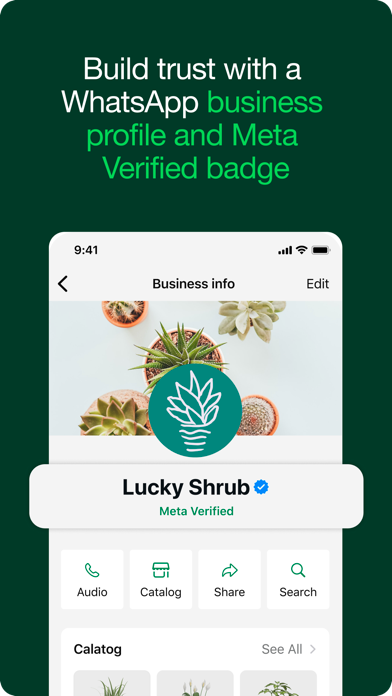
- It does not give WhatsApp’s exact taps for creating a backup or for restoring one during setup. Those are documented by WhatsApp, not by a description.
- It does not say what happens to group memberships, chat folders, or a number you later give back to a carrier.
- It does not tell you whether the personal account keeps working unchanged after its history has been restored elsewhere.
WhatsApp’s help centre could not be reached from the network used to write this — the address would not resolve at all — so nothing on this page is attributed to Meta documentation. What is quoted here comes only from the app listing and its own footnotes. For the mechanics, open WhatsApp’s help centre from inside the app or in a browser and search for moving to a business account; the description is a summary, not a manual.
- All quoted sentences — the app description and FAQ block WhatsApp Inc. supplies for its own store listing, retrieved through the store’s public catalogue interface and compared word for word with this page.
- One store image — supplied by the developer; the caption transcribes the headings, labels and button names visible on it.
- Our own reading — the named-versus-unmentioned split and the conservative sequence. Not WhatsApp instructions, and not results of a migration we performed.
WhatsApp Business’s page here is this one, on the communication and workplace hub. Related: the codes that do not come with you when you change phones, and which messaging app is actually private.
Written by the Dlzer editorial desk. Not affiliated with, endorsed by or sponsored by WhatsApp or Meta. WhatsApp, Meta Verified and their marks belong to their owners and are used here to identify the products; quoted lines are WhatsApp’s own description of what the app does.