
A streaming app almost never owns the thing you came to watch. It holds a permission — sometimes for a window of months, sometimes only in some countries, sometimes not at all. The exception is the one app whose library is the files on your own drive, and even that one needs a second piece of software running.
Three listings, read as commercial documents rather than as menus.
Kind oneLicensed from somebody else, advertised as a shelf
Tubi — free, and mostly borrowed
The listing leads with scale: “We’re more than a completely fee-free streamer with the largest library in the entire streaming universe.” Then, in two words elsewhere in the same text, it says something narrower: “And only available on Tubi.”

Kind twoNot a library of shows, a list of relationships
Pluto TV — free live channels, fed by partners
The on-demand claim reads like a shelf: “Pluto TV’s on-demand library gives you instant access to blockbuster films, binge-worthy shows, and hidden gems, at no cost.” The live side is described differently — as a set of companies: “Free streaming for TV networks and top content providers, including: – Paramount – NFL – BET – CBS – Comedy Central – MTV – NBC – Nickelodeon – SHOWTIME – And more!”
Kind threeThe catalogue that is actually yours
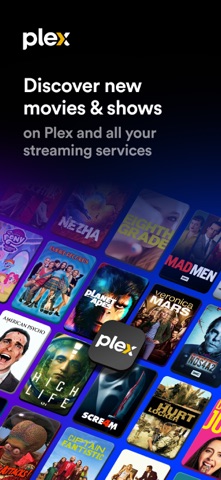
Plex — one library, plus a machine that must stay on
“Store, organize, and stream your movies, shows, music, and photos from one library.” The word doing the work is your, and the condition is in the small print: “Note: Streaming personal media requires Plex Media Server version 1.41.2 or higher (available for free at https://plex.tv/downloads) installed and running to stream to other devices.”
So where is the filmWhere a title usually lives, and how to check
| The title is… | Most likely held by | What that means for you |
|---|---|---|
| Commissioned by the service | That service, permanently in principle | The only category you can reasonably plan a subscription around |
| From a studio the service licensed from | Whoever holds the window this year | It arrives, leaves, and returns; the app cannot promise it back |
| On a partner’s free channel | The brand named in the partner list | Check whether the app can start it or only tune a schedule you do not control |
| A file you own | Your drive and your server | Nothing expires; availability depends on your own hardware staying running |
Before you subscribe for one thingFour checks
- Search the title inside the app while logged in, and see whether the button says play, add to list, or nothing. Absence of a button is the answer.
- Read the partner list as a rights map: the brands named in a free app’s listing are who it is allowed to carry, not what it has.
- If the film is why you are signing up, watch the first ten minutes before the trial ends, not on a day you are busy. A catalogue that had it in the advertisement may not have it in your country.
- For anything you genuinely want to keep, own the file and serve it yourself. Every borrowed shelf is on somebody else’s schedule.
The sentences with numbers in themWhat “free” is measured against
Free streaming services describe themselves in quantities, and the quantities are the useful part. Tubi’s listing opens with a claim about price and then makes a claim about scale: “We’re entertainment fiends and collectors, and never judgers.” is the tone; “WATCH WITH ZERO FEES EVER (YES, REALLY!): Live TV: news, weather, sports, & entertainment” is the offer, with the sentence attached to it, “It’s live, always on, forever fee-free and has way fewer ads than cable.”
Pluto puts the same thing as a count rather than an exclamation: “Zillions of movies & shows for free is what you get when you download Pluto TV.” and “Flip to free live TV anytime with hundreds of channels – no antenna, no cable box required”. Plex, which is a different animal wearing the same costume, states its numbers the same way: “Watch over 50,000 free movies and shows across every genre from A24, Paramount, AMC, Magnolia, Relativity, Lionsgate, and more.” and “Stream 600+ free live TV channels featuring live sports, news, kids’ shows, and more.”
Why a big number is not the answer to a small question
A count of titles is a statement about breadth, and breadth is exactly the thing nobody in the living room needs. The question on a Friday evening is always narrow: does this specific film exist, here, tonight, on this app. No listing in this category answers that question, because the answer changes monthly. The counts are useful for one thing only — they tell you how much searching you are volunteering for.
Rule of thumb: treat a catalogue number as a floor and a title as a coin flip.
The sentence that gives the game away“Check back often” and what it concedes
Pluto’s description contains an unremarkable line that is the most honest sentence in the whole comparison: “Check back often so you don’t miss the new movies and TV shows we add to our library daily.” Tubi lands a different concession — “Whatever genre you’re looking for, we have it.” is a claim about coverage, while the sentences underneath it name categories rather than titles. And Plex is explicit that its catalogue is assembled from elsewhere: “If you can stream it, we can find it.” is discovery, not ownership; “Life doesn’t pause, and neither does Pluto TV.” is Pluto’s version of the same idea, aimed at the moment you are watching rather than the licence behind it.
“Check back often” is the licensing model speaking. A service that has a title for a season has to tell you to look again when the window moves, and a service that owns its catalogue never needs that sentence. That single phrase is a faster classifier than any marketing paragraph: it separates a shelf borrowed from other companies from a library of things that are permanently there.
The account questionWhat a free service wants in exchange
Free does not mean no relationship. Tubi’s own list of reasons to register is quietly instructive: “Create an account to build your own watchlist, save your watch progress, and get better recommendations.” Pluto builds the same offer into its feature list — “Save live TV channels to a personalized Favorites list.” and “Add movies and shows to your Watchlist to find them fast.” — and Plex goes furthest, because it wants your attention across the industry rather than in one app: “Connect all your streaming services (including Netflix, Max, Paramount+, Prime Video, and more) to Plex to browse them all from one place.”
Those are reasonable trades, and they are still trades. A watchlist is a record of what you intended to watch, which is a description of you, written into an account, on a service whose revenue comes from showing you things. That is not a reason to refuse an account; it is the reason to know what you are buying. The honest summary is that a free app is not free of a relationship, only free of a fee, and the relationship usually consists of your attention and your list.
| App | What it says you pay | What it says you get |
|---|---|---|
| Tubi | Nothing, and it says so twice | “forever fee-free” live TV, plus ads instead of a fee |
| Pluto TV | Nothing; “no antenna, no cable box required” | Hundreds of channels, a schedule you do not control |
| Plex | Nothing for the free tier; its own note says some features are ad-supported | Discovery across other services, and your own files if you run a server |
- Decide what you are actually asking. “Is the film I want here” and “put something on in the background” are different products, and only one of them is answered by a channel count.
- Check the specific title in the app, on the day, in your country. A listing that names a studio is not a licence for that title.
- If a household shares one account, agree who is allowed to build the watchlist. It is the only part of a free service that persists.
- Remember the antenna. A live channel that arrives over the internet is subject to the licence; one that arrives through the air is subject to the transmitter, and the transmitter does not rotate its catalogue.
The practical conclusion from putting three free services side by side is that none of them is the other, and the differences are structural rather than editorial. One is a borrowed shelf with ads on it. One is a schedule with channels cut for themes. One is a directory that wants to know everything you watch, on any service, and happens to have its own free shelves too. Knowing which shape you are opening the app for is worth more than any promise in their very good, very large lists of genres.
Which specific title is on which service in your country this week. Availability is a contract between two companies, and none of the three vendors’ help centres were reachable from the network used to write this, so we did not check a single title. What is quoted above is only what each developer says about its own product in its store listing. Treat any concrete availability question as something the app answers and this article cannot.
- All quoted sentences — the descriptions Tubi (Tubi, Inc), Pluto TV (Pluto, Inc.) and Plex (Plex Inc.) supply for their own store listings, retrieved from the store’s public catalogue interface and checked word for word against this page. The version number inside the Plex note is reproduced as published and is the kind of detail that changes, so treat it as a flavour of the requirement, not a spec.
- Two store images — supplied by the developers; captions read the frames literally, including which card carries an original badge and which do not.
- Our own reading — the three kinds of catalogue, the rights-map framing and the four checks. Not vendor statements.
These three are on our film, TV and news hub: Tubi, Pluto TV and Plex. The neighbouring question — why a channel you can pick up with an aerial is missing from an app — is answered here.
Written by the Dlzer editorial desk. Not affiliated with, endorsed by or sponsored by Tubi, Pluto TV, Plex or Fox/Disney. Product names and marks belong to their owners and are used to identify the services; quoted lines are each company’s own description of its product, and a superlative in an advertisement is reported here as an advertisement.