
“We will never rent or sell your data” is a promise about a transaction, not about a glance. It tells you what Grammarly will not do with your writing. It does not tell you what the app must look at to correct a sentence, how long it keeps any of it, or whether any of it trains a model.
That gap is not a criticism of this company in particular. It is the shape of almost every keyboard or writing app’s privacy claim, and it is worth knowing how to read one.
What the listing saysTwo sentences, one of them narrow
Grammarly keyboard, app description.
Same description.
Read the second with the first. “Privacy by design” is a method claim — it says architecture was considered. “Never rent or sell” is a commercial claim — it says money will not change hands for your text. Neither is a retention claim, an access claim, or a training claim. Those are three different things, and none of them is answered here.
What has to be true for the correctionThe mechanics the sentence quietly assumes
It has to see the words, in order, as you type
The listing is candid about the plumbing: “Designed to deliver real-time writing feedback and provide AI assistance, the Grammarly Keyboard works directly in your iPhone and iPad apps, no copy and paste required.” Real-time feedback on a sentence you are still writing means the sentence is being read while you write it. Whether that happens on the device or on a server is not stated in the description — and that single fact is the whole privacy question.
“AI assistance” is the part that moved
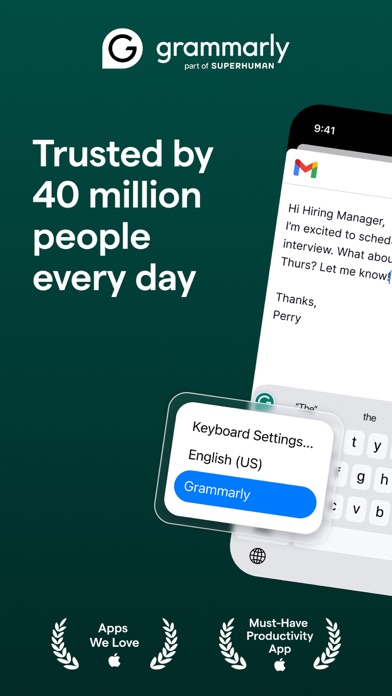
The description in this record advertises AI features and is published under a seller line that now reads Superhuman, with the store image carrying the same name. A keyboard that used to check grammar now also writes for you. Products change hands and change scope; what stays useful is the habit of reading who publishes the thing you type into.
Read it as a set of limitsWhat is claimed, and what is not
- No sale or rental of your text to third parties.
- Integration at the keyboard, so the app is present in every field you fill.
- Not claimed: how long typed text is stored anywhere.
- Not claimed: whether anything is retained when you delete a document or unsubscribe.
- Not claimed: whether your writing improves any model, including after you pay.
- Not claimed: what the app sees in fields you would rather it did not — passwords, one-time codes, other people’s quoted emails.
We are reading a store description, not the company’s privacy policy or its help centre, neither of which was available to us while writing this. So nothing above says Grammarly keeps, sends, or trains on anything — only that the listing does not say. Those three answers exist, in plain language, in the policy the company publishes; they take about four minutes to read and they will not agree with the slogan in every particular. Treat the gap as the point of the article, not as an accusation.
The practical partFour habits that do not need an answer
- Leave the keyboard off for anything whose confidentiality depends on nobody reading it: legal drafts, medical detail, credentials, other people’s messages pasted in to be summarised.
- Turn the keyboard off where a code or password is typed. Most systems already do this for password fields; do not assume it covers the one-time-code box on a bank page.
- If you pay, remember the renewal is held by the store, not by the app. The listing’s own instruction is that “After purchase, you can manage your subscription by going to your account settings in the App Store.”
- Decide once, per type of text, rather than per message. “Work email, yes; anything with a case number, no” is a rule you can keep. A case-by-case judgement at 11pm is not.
- Every quoted sentence — the app description supplied by the publisher of this record, retrieved from the store’s public catalogue interface and compared word for word with this page. The seller line and the branding inside the screenshot are quoted because they are visible, not because we have inferred a company history.
- One store image — supplied by the developer, captioned for what the frame shows and what it does not.
- Our own reading — the split between commercial, architectural and retention claims, and the four habits. Not the vendor’s words.
The app’s page on this site is here, next to the keyboard and writing tools on the tools and devices hub. If you want the wider version of this question — which messaging apps mean what by “private” — it is here.
Written by the Dlzer editorial desk. Not affiliated with, endorsed by or sponsored by Grammarly, Superhuman or Apple. Names and marks belong to their owners and are used to identify the product; quoted lines are the publisher’s own statements about its app, reported and not adopted.