
Remote desktop is only as safe as the PC left switched on
The precondition chain
A remote-access tool is not a hole in your network; it is a door you installed and unlocked deliberately. For someone to walk through it, every one of these has to be true at the same time. Break any link and the chain fails — which is why the advice is not “pick a better app”.
All four must hold for an unattended session to be hijacked
- The target machine is powered on, awake, and signed in to a desktop session.
- The remote client is running with unattended access enabled on that machine.
- The attacker holds something that authorises the session: a password, an ID plus code, an account credential, or a device token.
- Nothing in the path challenges them a second time — no second factor, no confirmation prompt, no session lock.
Link 1 is the one people forget, and it is the one the app cannot fix for you.
What the vendors themselves say
TeamViewer QuickSupport, listing description published by TeamViewer Germany GmbH. The same text states: “You control access to your device and end the session whenever you choose.”
Read that as an architecture, not as an instruction manual. An ID plus a one-time code is an authorisation model where the human is the decision point. It is excellent for attended support and dangerous in exactly one situation: when the human approves because they were told to. Every “your computer has a virus, please install this and read me the code” scam is that model working as designed.
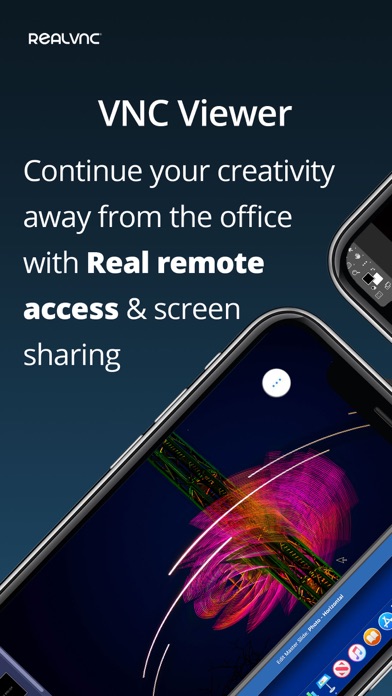
RealVNC Viewer, listing description published by RealVNC Limited.
“The same user name and password you use to log in to your computer” is the sentence to sit with. Encryption protects the pipe; it says nothing about how guessable the credential at the far end is. Where that is true on your setup, a weak local password becomes an internet-facing lock.
Splashtop Business, listing description published by Splashtop Inc.
The vendor distinction between attended and unattended is the most useful vocabulary in this whole category, and it is the axis every finding below is organised around.
Findings
Unattended access requires a live target. That is the feature. It also means the attack surface is up 24 hours a day, including the weeks you forgot it existed.
If you do not need to reach it from another building, do not leave it reachable. Sleep or shut down when unattended, and wake on demand only where you actually need it. Where the machine must stay on, put the remote client’s own “start with Windows” option under review rather than default.
Someone inside your desktop session is not looking at a file list. They are looking at a browser with saved passwords, an email client already signed in, chat apps with their own history, and a keychain that is unlocked because you were using it ten seconds ago.
Treat remote access as full account access, and lock the screen when you disconnect. If the far machine is shared with family, that is the moment to separate the accounts.
Attended access is a human gate. The technology works; the gate is the part that gets talked open, usually by someone claiming to be from a well-known company.
Write down the rule now, before you are on the phone: nobody you did not contact gets a code. If a stranger asks, the answer is no, hang up, and call back on the number from the company’s own website. Turn off any “grant unattended access” option you set up during a past support call — those tend to survive the call.
Where the client authenticates with the same username and password you use to log in locally, exposure is proportional to how guessable that password is and whether the port or ID is reachable from outside.
Long unique local password, and prefer a path that supports a second factor at the account level rather than only a shared secret. If you cannot tell which model your client uses, the listing text usually says so — that is what the quotes above are for.
The controller device holds the address book of machines you can reach, and often a session already authenticated. A lost phone with an unlocked remote app is a shortlist of targets.
Require a passcode or biometric on the remote app itself where the option exists, and keep the device lock short. Remove machines you no longer own from the list; stale entries are permanent permissions.
Many of these tools can go peer-to-peer when routing allows it. That is the performance feature. It also means the traffic no longer passes through an infrastructure layer you might have assumed was inspecting it.
Know which mode you are in. If you wanted an auditable path, that is a policy setting on the host, not a default. Not verified here Per-connection mode is decided at the time; we cannot tell you what your session used.
Personal-use licences on remote tools are actively screened, and a detected commercial pattern can cut access mid-session — which is a availability problem, not just a compliance one.
If you use it for work, use the plan that says work. This is the vendor’s claim to make, not ours: Vendor claim several listings in this group describe separate business products alongside a free personal client.
Remote-control apps are the classic look-alike category: several unrelated publishers ship products whose names are assembled from the same two or three words, and a support scam only needs you to install an app, not the right one.
Read the developer name under the title before installing anything you were told to install. Our own archive is not immune to name confusion in the other direction: it holds two pages each for AnyDesk and its second listing, and for TeamViewer Remote Control and that page as well. Both pairs are linked on purpose, not hidden.


Hardening order
Sequence matters: the first three items remove most of the exposure without costing you the feature you installed.
- Decide, per machine, whether unattended access is actually needed. Turn it off where it is not.
- Make the far machine sleep or shut down when nobody is there, so link 1 of the chain is broken by habit.
- Lock the screen on disconnect, and require a passcode or biometric on the controller app.
- Audit the list of saved hosts and delete anything you no longer own or use.
- Check whether a past support session left an unattended-access grant behind. This is the most common thing we see described and rarely checked.
- Put a second factor on the account that manages the client, if the client has an account at all.
- Only then think about protocol-level options — VPN instead of exposed access, tunnelled VNC, network-level limits. Worth doing, worth doing last, because they are where people stall and change nothing else.
- Listing descriptions published by the developers on their own App Store pages: TeamViewer Germany GmbH (QuickSupport, Remote Control), RealVNC Limited (VNC Viewer), Splashtop Inc. (Splashtop Business), AnyDesk Software GmbH (AnyDesk), PhaseFive Systems (Jump Desktop, which documents NLA and TLS/SSL for RDP and SSH tunnelling for VNC).
- Versions and bundle identifiers read from Apple’s public catalogue interface for the US store.
- No vendor help centre, and no third-party security report, was used for the quoted lines.
What this sheet is not
Dlzer did not penetration-test any product named here, has no lab, and cannot inspect your configuration. Nothing in this article is a claim that a specific tool is insecure; the quoted lines are the vendors’ own descriptions of how their authorisation works, and the findings are what follows from that model when a machine is left on. This is general information, not security advice for your environment — if a machine holds anything you could not afford to lose, the honest recommendation is to have someone review the actual setup rather than to optimise it from a web page.
Corrections: [email protected], naming the app and the sentence. Our policy on what we host and do not host is on the transparency page.
Written by the Dlzer editorial desk. The remote and file-access group of our tools index covers AnyDesk, TeamViewer Remote Control, TeamViewer Meeting and Microsoft Remote Desktop. Not affiliated with, endorsed by or sponsored by AnyDesk, TeamViewer, RealVNC, Splashtop, PhaseFive or Microsoft; marks and screenshots belong to their owners and identify the products discussed.