
Between pointing your camera at a page and getting a PDF you can email, a scanner app makes five decisions for you. None of them are on a screen you stop at, and each one changes what ends up in the file — who can reach it, and whether you are paying for the privilege.
Genius Scan is a fair example to take apart because its own listing is unusually plain about what it does. Nothing below is inferred from a review; each claim is the developer’s sentence.
OneIt decides what counts as a page
Edges, angle, and the word “crisp”
The listing promises the outcome, not the method: “You obtain a crisp, legible scan.” Getting there means the app picked the four corners of your document from a photo of a table, straightened it, and re-sampled it. That is usually right and sometimes silently wrong — a curled receipt edge or a shadow your hand cast is where text disappears. The scan looks confident. Check the bottom third.
TwoIt decides how many pages belong together
Batch, then assemble
“Batch scanning lets you scan dozens of pages in a matter of seconds.” The speed is the point, and so is what it produces: one multi-page object. “Quickly scan your paper documents on the go and export them as multi-page PDF files.” A dozen photos become one file, which is a convenience for email and a problem when page seven belongs to a different person’s claim.
ThreeIt decides what “saved” means
Organise, share, archive are three verbs
“Powerful tools help you organize, share, or archive your documents.” Sharing makes a link. Archiving keeps a copy. Organising moves it into a folder. They feel like one button and have three different audiences — which is why the sentence worth learning before you press anything is: who is this for, me, or the person I am sending it to?
FourIt offers your document to other places
Destinations, including servers you run
The listing enumerates where files can go, down to self-hosted storage: “Any WebDAV compatible service such as Citrix ShareFile, NextCloud, ownCloud, Synology, Yandex.” That is genuinely good news — you can point your paperwork at a drive you control — but it also tells you the default is somewhere else. The same paragraph set mentions a subscription for exactly that purpose: “You can subscribe to Genius Cloud for backup & synchronization.”
FiveIt tells you the subscription renews itself
The clearest sentence in the listing
“Subscriptions automatically renew unless auto-renew is turned off no later than 24 hours before the end of the current period.” And where to act: “Manage subscriptions, disable auto-renewal in the iTunes account settings.” Most scanner apps bury this; this one states the window. Twenty-four hours is the number to set a reminder against.
After each scan, look at the last page and the bottom of the busiest one. Then decide the destination consciously — a folder on the phone, or a drive you run, rather than whichever place the button was nearest to. If a subscription is involved, set the cancel reminder on the day you start, not the day the charge appears.
The privacy lineWhat the listing does not say
A scanned passport, bank letter or medical result is the most sensitive file most people ever make. This listing describes capability, edges, batch export and destinations — it does not say whether a scan is processed on the device only, whether anything is retained server-side when you use a cloud destination, or what happens to a document after a subscription ends. Unverified here Those answers sit in the vendor’s own terms and privacy pages, and the listing links a terms page for the cloud product; read that before the first identity document goes in.
Every quoted sentence above is from the app description The Grizzly Labs supplies for its own store listing, retrieved from the store’s public catalogue interface and checked word for word. We did not install the app, did not measure how well it detects edges, and did not reach a help centre to confirm current menu names — so the five steps describe decisions the listing says the app makes, not a walkthrough of its interface. One naming note for honesty: the record we read is published by The Grizzly Labs under a Genius Scan product name; if you are comparing two listings with similar names, check the seller line, because the feature set and the price travel with it.
- All quoted sentences — the app description supplied by the developer for its own store listing, retrieved from the store’s public catalogue interface, then compared character by character with this page after normalising quotation marks and ampersands.
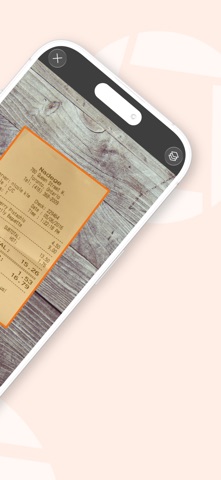
- One store image — supplied by the developer and served by the store; the caption states which parts of the receipt are legible and which are not.
- Our own reading — the five-step framing, the “one file, three audiences” point and the practical advice. Not vendor claims, not test results.
Genius Scan’s page here is this one; if your question is what “free” actually restricts in a scanner, that is covered in what free means in a PDF scanner, and the rest of the document tools sit on the tools and devices hub.
Written by the Dlzer editorial desk. Not affiliated with, endorsed by or sponsored by The Grizzly Labs. Genius Scan is the developer’s product and mark, used to identify the app; quoted lines are its own statements about that product.